AI makes it easy to migrate. Flutter makes it easy to scale.
Why verification speed, not code generation, is the real bottleneck of agentic development, and how a single source of truth powers multi-platform scale.



Over the past few months, mobile engineering discussions have been dominated by migration stories. Now that AI coding tools can scaffold a greenfield prototype in an afternoon, engineering leaders are asking a fair question:
"If modern AI models can generate Swift and Kotlin almost instantly, why not just build everything twice in native?"
At Google, we've spent the past year studying this dynamic across our internal teams, our enterprise partners, and the broader open-source community. As we shared earlier this year in how Dart and Flutter approach AI: AI makes it easy to migrate to a new framework. Flutter makes it easy to scale. Confusing Day 1 migration speed with Day 2,000 production maintenance can cost an engineering organization years of velocity.
Here is a look at the first principles, agentic tooling, and enterprise data behind why a unified codebase matters more than ever in the AI era.
Why "writing it twice" breaks at scale
Takeaway 1: Codebases are accumulated memory ("argue once, build once")
When an engineering team uses an AI agent to rewrite an application on Day 1, the model excels at the initial happy path: syntax translation, REST endpoints, UI layouts, and boilerplate data models. Greenfield development feels effortless because it carries zero history.
By Day 2,000, however, a production codebase is no longer just UI syntax—it is your organization's accumulated memory. It holds years of settled product debates, production post-mortems, compliance rules, and edge-case fixes. As Eric Seidel, founder of Shorebird and co-creator of Flutter, recently wrote in Portable Software in the AI Era:
"An application is not simply a bundle of UI screens. An application is an artifact of intent delivery and intent capture."
In a unified multi-platform codebase, teams argue once and build once. When an organization asks AI to "write it twice" in native Swift and Kotlin, it doesn't eliminate complexity; it bifurcates it. Every new requirement and edge case must be independently surfaced, resolved, and maintained across multiple stacks.
Takeaway 2: Parallel agents introduce non-deterministic drift
In systems engineering, coordination overhead between N discrete interfaces grows combinatorially:
A common assumption is that AI agents erase that coordination tax: "We'll just have Agent A write Swift and Agent B write Kotlin." In practice, every LLM generation is probabilistic. Even with identical prompts and specifications, two agents working in separate language paradigms make diverging assumptions:
- On iOS: Agent A implements a checkout state machine using an asynchronous stream that drops stale events.
- On Android: Agent B implements that same state machine using a reactive flow that queues events.
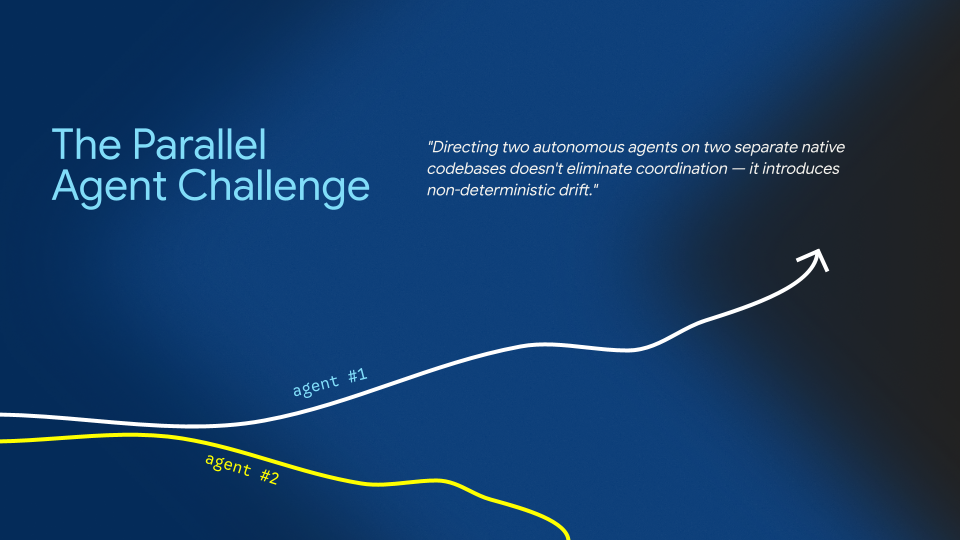
Both implementations pass local unit tests on Day 1. Weeks later in production, Android checkout conversion drops by 3% because retry timing, for example, behaves differently during intermittent network drops. Senior engineers must spend days (or many tokens) digging through two disparate tech stacks to diagnose the root cause. Flutter eliminates drift at the source. There is one state machine, one data serialization layer, and one canonical source of business logic.
Takeaway 3: Verification, not generation, is the true bottleneck
Code generation is no longer the bottleneck in software development—verification is. While 73% of developers report feeling more productive starting tasks with AI, 46% do not trust AI accuracy for critical debugging without manual inspection.
An agent's output quality is bounded by the speed and precision of its feedback loop:
| Verification Step | Traditional Native Workflow (Swift / Kotlin) | Flutter Closed-Loop Workflow |
|---|---|---|
| Code-to-Run Latency | 2 to 5 minutes per build, link, archive, and simulator deployment. A 4-turn debugging run costs 20+ minutes waiting on compilers. | <200 milliseconds via Stateful Hot Reload, injecting code changes into the running Dart VM while preserving state. |
| Automated Testing | Requires heavy OS simulator lifecycles and background emulators. | <500 milliseconds via headless widget tests executing in hermetic environments. |
| UI & State Inspection | Probabilistic and slow: Captures simulator screenshots and passes pixels to vision models to guess layout accuracy. | Deterministic and structured: Queries the Dart VM Service and DevTools via MCP to inspect the exact Widget and RenderObject tree. |
Flutter was designed to give human developers instant feedback. That exact architecture makes it uniquely effective for high-speed agentic verification.
Building the harness and runtime canvas
Flutter's declarative UI, reactive widget tree, managed runtime, and stateful hot reload now power two distinct AI disciplines: AI-assisted development at build time, and generative UI at runtime.
Takeaway 4: A better harness beats a better prompt
Left unguided, an agent only knows Flutter as well as its training cutoff: often reaching for deprecated APIs, misreading third-party packages, or stopping before verifying changes. Prompt engineering can't solve that reliably; harness engineering can.
We tested this internally with Project One Shot, where Flutter engineers
Reid Baker and Camille Simon tasked an agent with autonomously resolving
production bugs in
camera_android_camerax,
one of our most complex plugins involving native Android CameraX lifecycles and
surface texture bindings. Generic instructions like "avoid memory leaks"
failed. The agent succeeded only when paired with a deterministic harness: AST
analysis via MCP, package-specific domain skills, and mandatory test-driven
guardrails (reproduce with a failing test → write a minimal fix → pass the
suite and leak linters).
To give every Flutter team that same harness, we launched three core capabilities:
- Official Dart and Flutter Agent Plugins: Bundle our dedicated Model Context Protocol (MCP) server alongside 10 Flutter and 14 Dart skills. They give agents direct access to the Dart Analyzer and Widget Inspector to enforce framework best practices.
- Specialized Antigravity Agents: Embedded agents that automatically audit running Flutter apps for accessibility issues and submit idiomatic fixes.
- The Agent Skills CLI: Developed with our friends at Serverpod, the Skills CLI enables package authors to ship domain-specific agent skills inside their packages. Running one command equips the agent with library-specific rules:
# Scans immediate dependencies and discovers available skills
dart run skills@ get
We benchmark every tool and skill in our harness against real-world evaluation suites (covering layout overflow resolution, responsive design, REST API wiring, theming, and many other everyday developer tasks):
| Evaluated Frontier Model | Baseline (Without Flutter Tools) | Enhanced (With Flutter Harness & MCP) |
|---|---|---|
| Gemini 3.5 Flash | 84.1% | 85.5% (+1.4%) |
| Gemini 3.1 Pro | 89.6% | 92.7% (+3.1%) |
Takeaway 5: Generative UI is the next-generation universal canvas
At runtime, apps are evolving from static, pre-rendered screens to dynamic interfaces that adapt to user intent in real time. Google and industry partners are developing A2UI (Agent-to-User Interface) at a2ui.org, an open standard for generative interfaces that powers the GenUI SDK for Flutter.
Earlier this year, we put this into production with GenLatte, an AI-native ordering system built on Flutter, Firebase Functions, and Genkit that has served over 3,000 coffee cups in real life. Here's how it works: a customer describes their happy place, Gemini designs custom latte art, and Flutter's GenUI engine dynamically hydrates interactive UI controls so the user can refine the result.
An AI agent cannot easily synthesize dynamic interfaces at runtime if it has to negotiate five different native layout engines across five operating systems. However, Flutter is the ideal foundation for GenUI because it provides the portable, declarative canvas needed to stream and render UI anywhere with total consistency.
Proof at scale: multi-surface reach and enterprise reality
Digital products no longer live only on phones. Maintaining separate native codebases across iOS, Android, WebAssembly on the web, desktop (Windows, macOS, Linux), automotive displays, and embedded kiosks multiplies your testing matrix and token costs sixfold. Powered by Impeller—which precompiles shaders ahead of time for Metal, Vulkan, and OpenGL to deliver jank-free 120fps rendering—a single Flutter codebase deploys across six or more targets.
That architectural leverage is why global engineering teams are standardizing mission-critical production systems on Flutter:
- Xiaomi (SU7 EV & HyperOS 4): Built the SU7 electric vehicle companion app in Flutter and rewrote core HyperOS 4 system apps (Gallery, Launcher, Weather) using Flutter for UI and Rust for backend logic across hundreds of millions of phones.
- Universal Destinations & Experiences: Unified mobile ordering, interactive park maps, digital wallets, and Epic Universe park kiosks, cutting codebase size by 45% with near-zero crashes.
- Automotive: Toyota and Lexus power in-vehicle infotainment in models like the RAV4, and BMW standardized the global My BMW app on Flutter.
- FinTech: Nubank serves over 100 million customers with hundreds of weekly deployments.
Do users notice frameworks?
Underneath the argument for writing separate native apps sits an unspoken premise: that cross-platform UI imposes an experience tax that end users notice in app stores.
To test that claim, we reviewed independently gathered Apptopia data across 201,000 top mobile apps in the Apple App Store and Google Play Store:
| App Store Platform | Flutter App Average Rating | Non-Flutter App Average Rating |
|---|---|---|
| Google Play Store | 4.1 ★ (9,000 apps sampled) | 4.1 ★ (66,000 apps sampled) |
| Apple App Store | 4.0 ★ (13,000 apps sampled) | 4.0 ★ (113,000 apps sampled) |
Users don't evaluate the underlying framework; they rate responsiveness, visual polish, and reliability.
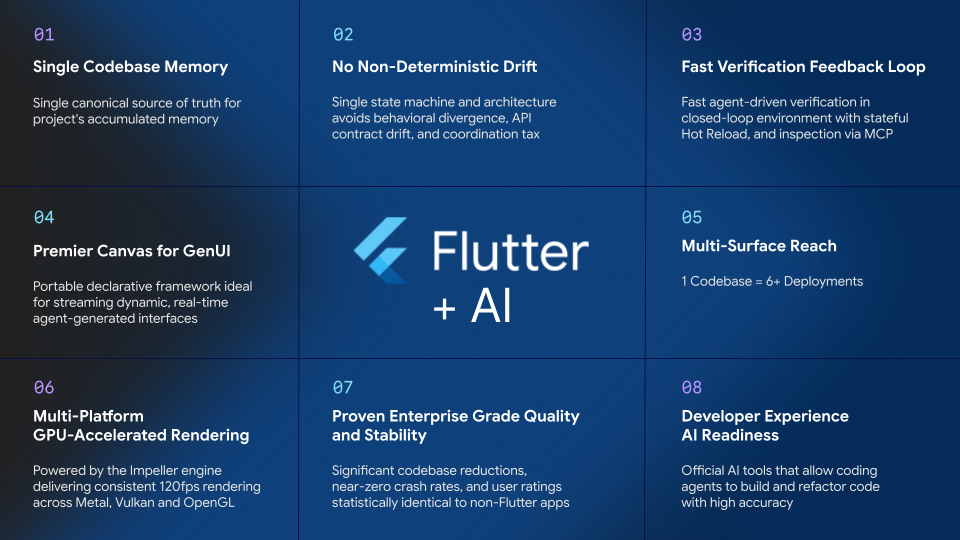
8 talking points for your team
The next time your organization debates whether to maintain multiple native codebases with AI, bring these eight talking points to the conversation:
What comes next?
Acceleration is easy to sell on Day 1. Architectural scale is what keeps your software reliable on Day 2,000. To get started pairing Flutter and AI in your workflow:
- Install the Official Dart and Flutter Agent Plugins in your IDE.
- Check out the GenUI SDK for Flutter.
- Share how your team is pairing Flutter and AI in our community discussions.
- Rewatch our keynote at FlutterCon Berlin.
More from Flutter
Announcing Genkit Dart 1.0: Build production-ready agentic apps with Dart and Flutter
Announcing the stable 1.0 release of Genkit Dart, an open-source framework for building AI-powered features and agentic workflows with Dart and Flutter.

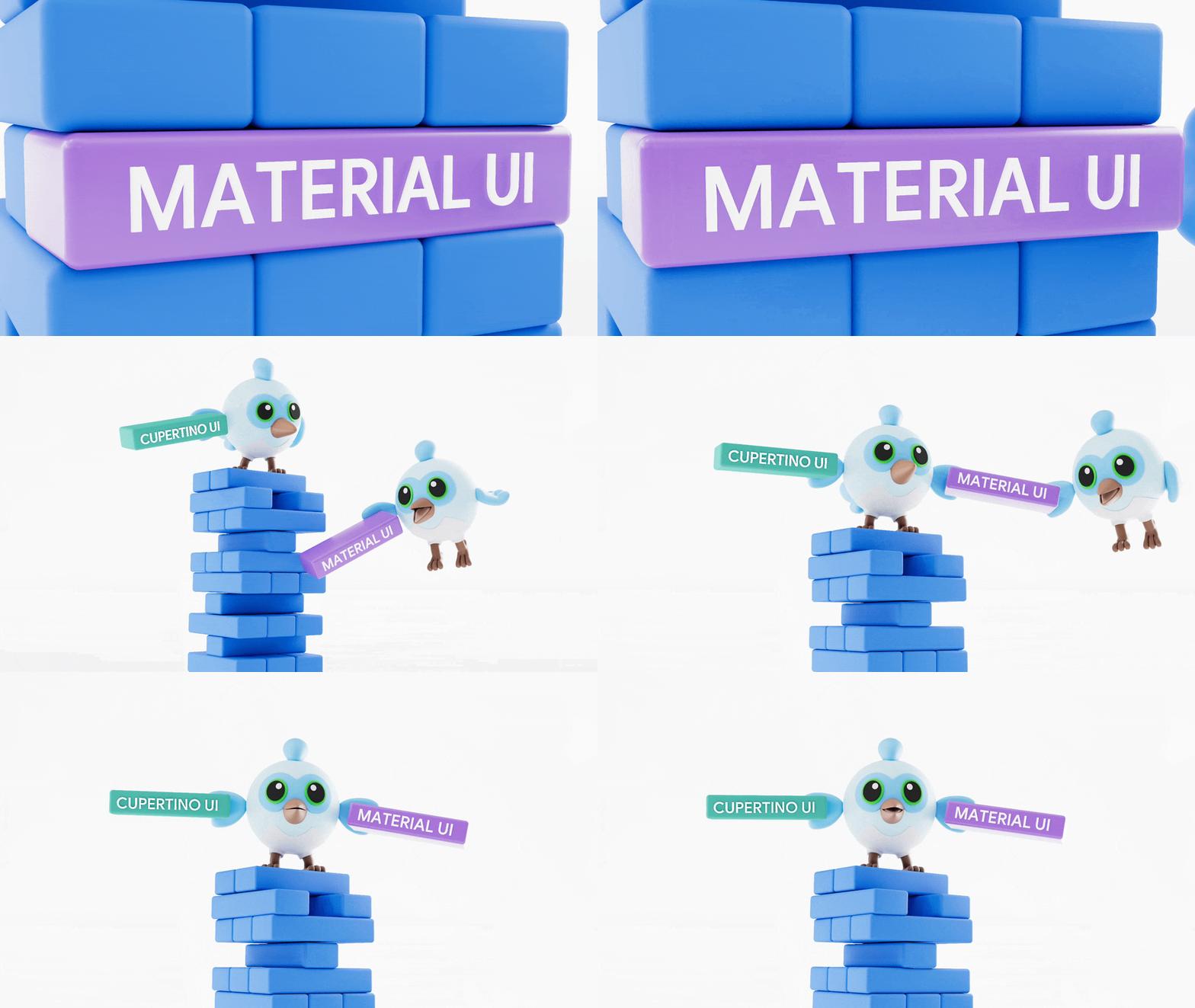
Material and Cupertino decoupling are here
Why moving Material and Cupertino out of core Flutter accelerates fixes and development of new features