

What’s new in Flutter 3.47
Modular by design: Standalone UI Packages and Impeller on Desktop


Flutter 3.47 is here, and with it, we’ve got some exciting new updates.
Today, we welcome the 1.0 release of the standalone
material_ui and
cupertino_ui packages.
This is a major milestone that decouples design systems from the core SDK.
We’re also boosting performance and tooling across the board. This release brings Impeller to desktop by default, prepares our pipelines for iOS, macOS, and Xcode 27, and graduates Flutter Widget Previews to stable.
So, run flutter upgrade in your terminal to get started,
or read on to learn more about the major changes in this release.
Choose your own UI adventure
The first step toward a decoupled Flutter is here: Material and Cupertino are now available as standalone packages!
One of Flutter’s greatest strengths is its ability to render pixel-perfect Material and Cupertino widgets. However, because these design libraries were historically bundled directly inside the core SDK, it slowed down their development and made it harder to contribute or keep them up to date.
While the core SDK still includes these libraries for this release,
you can now opt-in to the standalone material_ui and cupertino_ui
packages,
which have officially reached version 1.0 on pub.dev.
Decoupling design roadmaps (Opt-in)
By opting into the decoupled design systems,
you gain control over your design roadmap. Because material_ui
and cupertino_ui now live on pub.dev,
they can ship bug fixes and new components on their own weekly schedules,
independent of the quarterly Flutter SDK releases.
Decoupling the design systems gives us the following benefits:
- You can use the latest Cupertino and Material widget styles without being forced to upgrade your entire Flutter SDK version.
- We can land contributions and updates faster and more frequently.
- We lay the groundwork for a style-neutral Flutter core widget catalog, making it easier to build custom design systems in the future.
How to migrate
To migrate your project to the new standalone packages, run the following command:
dart fix --apply --code=migrate_design_widgets
This tool automatically updates your imports
from package:flutter/material.dart and package:flutter/cupertino.dart
to the new standalone packages.
Note: If the migration tool encounters issues updating your
pubspec.yaml(a known early bug), you can resolve it by manually runningflutter pub add material_ui(andcupertino_uiif you use it), then runningdart fix --applyonce more.
The original design libraries inside the core SDK are scheduled for formal deprecation in the upcoming Fall stable release in November. If you are migrating a package in the ecosystem, treat this move to the standalone packages as a major release.
Bridging the migration gap
To facilitate bridging the gap as the ecosystem migrates
to the new standalone design libraries,
material_ui and cupertino_ui ship with migration utilities.
The MaterialUiCompatibilityBridge allows your application to migrate
to the standalone packages immediately,
even if some of your package dependencies
are still using legacy core SDK imports.
For example, you can wrap your app in the compatibility bridge:
import 'package:material_ui/material_ui.dart';
void main() {
runApp(const MyApp());
}
class MyApp extends StatelessWidget {
const MyApp({super.key});
@override
Widget build(BuildContext context) {
return MaterialApp(
theme: ThemeData(
colorScheme: ColorScheme.fromSeed(seedColor: const Color(0xFF6750A4)),
),
builder: (BuildContext context, Widget? child) {
return MaterialUiCompatibilityBridge(child: child!);
},
home: const HomeScreen(),
);
}
}
Decoupled localizations
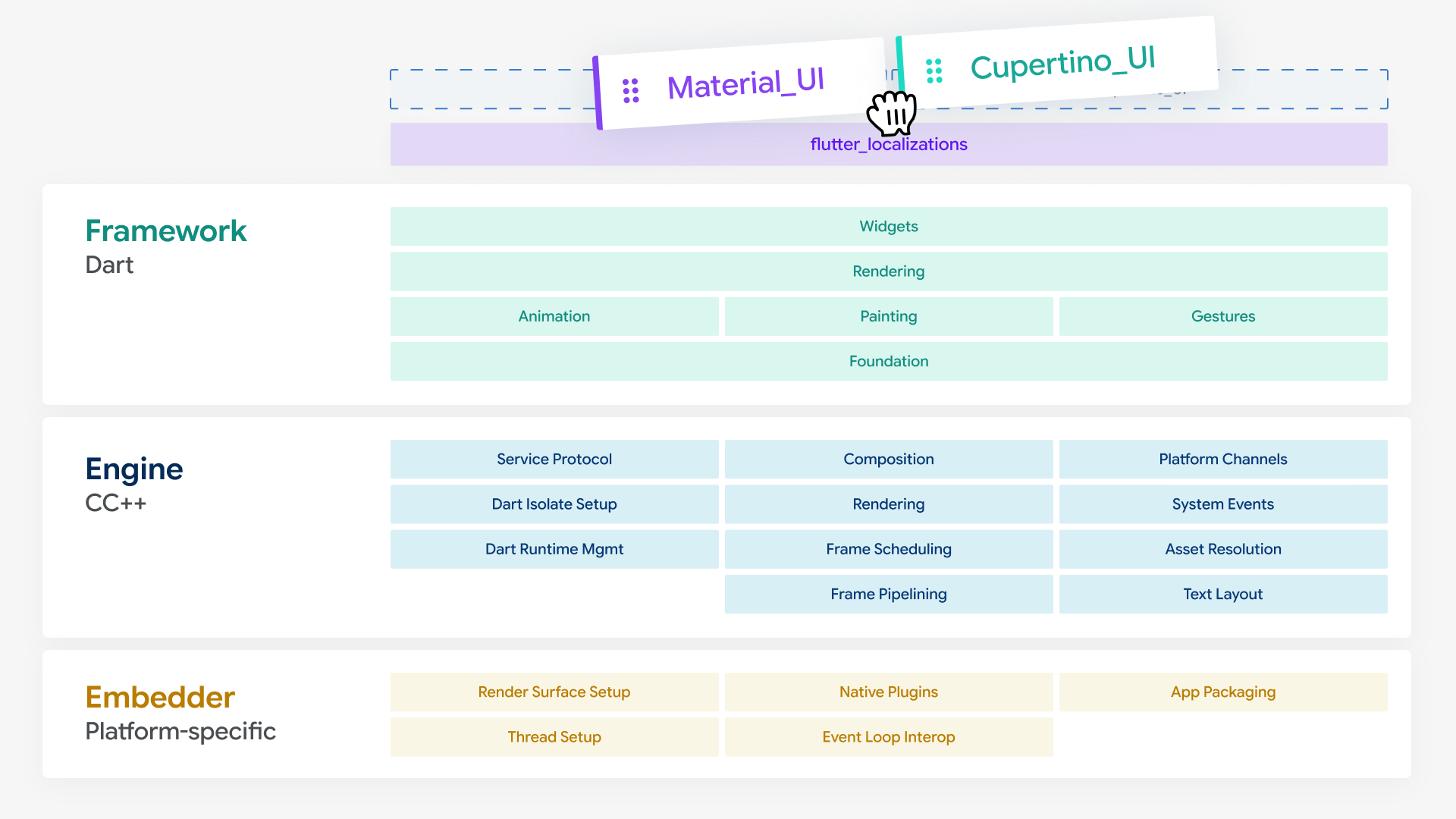
As part of this transition, flutter_localizations has also been unbundled.
Localization delegates and translated strings for Material
and Cupertino widgets now reside inside package:material_ui
and package:cupertino_ui respectively.
Before:
import 'package:flutter_localizations/flutter_localizations.dart';
import 'package:flutter/material.dart';
// ...
localizationsDelegates: const <LocalizationsDelegate<dynamic>>[
GlobalCupertinoLocalizations.delegate,
GlobalMaterialLocalizations.delegate,
GlobalWidgetsLocalizations.delegate,
],
After:
import 'package:material_ui/material_ui.dart';
// ...
localizationsDelegates: GlobalMaterialLocalizations.delegates,
Setting localizationsDelegates to GlobalMaterialLocalizations.delegates
now includes the Cupertino and Widgets delegates as well,
simplifying your setup.
Open for contribution
By freezing contributions to the Material and Cupertino libraries back in April,
we’ve been able to ensure a smooth migration.
The libraries waiting for you in material_ui and cupertino_ui
are the same libraries you are already using.
Now that we are ready to lift the freeze, look forward to more fixes and features rolling out on a regular basis in the new packages, with releases currently planned to land weekly. We are also excited to officially open these packages for community contributions.
Prepping for the next wave of Apple updates
With Xcode 27, iOS 27, and macOS 27 arriving this fall, we have focused heavily on making sure Flutter is ready for the upcoming updates. To ensure your users don't experience day-one surprises, we recommend testing your apps against the Apple betas now.
Additionally, to support Xcode 27, the minimum supported OS versions have been bumped:
| Platform | Previous minimum | New minimum (Flutter 3.47+) |
|---|---|---|
| iOS | 13 | 15 |
| macOS | 10.15 | 12 |
UIScene lifecycle mandate
The iOS 27 SDK now mandates the UIScene lifecycle for all UIKit-based apps.
Apps built with Xcode 27
that do not adopt UIScene will fail to launch on startup.
For most apps,
the Flutter CLI handles this migration automatically during the build.
However, manual migration is required
if you have custom native code in your AppDelegate or use plugins
that still rely on the legacy application lifecycle.
In those cases,
you must migrate manually
by following the UIScene/Delegate Adoption Guide.
Phasing out Intel Macs
In alignment with Apple's transition to Apple Silicon, Flutter is winding down support for Intel-based Macs. We have disabled automated test runs on Intel hardware, and the Flutter CLI now prints warnings when building on Intel hosts or targeting dual architectures. These warnings will become errors in a future release.
You can opt in to building ARM64-only macOS apps immediately by running flutter config --enable-macos-arm64-only.
Swift Package Manager progress
The community has made incredible progress transitioning to Swift Package
Manager,
with 92 of the top 100 iOS plugins now migrated.
If you previously turned Swift Package Manager off,
you can try it again by running flutter config --enable-swift-package-manager.
Because CocoaPods is now in maintenance mode, plugins
that do not migrate to SwiftPM will eventually stop working.
Unmigrated plugins also receive lower pub.dev scores.
If you maintain a plugin, consult the Migration Guide
and read our previous blog post
for more details.
This release also features optimized build times, thanks to community contributor @lukemmtt, who improved build pipelines by filtering out unnecessary SwiftPM package schemes early in the build process (#186006).
Setting course for Wasm by default
We are actively working toward enabling WebAssembly (Wasm) by default for
Flutter web applications,
bringing native-like performance to the browser.
If you haven’t tested your web apps with Wasm yet,
you can opt-in today by passing the --wasm flag to your release build command:
flutter build web --release --wasm
As you prepare for this transition, keep in mind
that Wasm requires migrating your codebase to the new JS interop package
(package:web), as the legacy dart:html library is not supported.
Upgrading your project’s package dependencies often resolves these legacy
interop issues automatically.
To help scale larger web applications, this release also introduces experimental support for deferred loading on Wasm. Available under a flag on the main channel, this allows you to split your Wasm application into smaller, lazy-loaded modules, optimizing initial load times:
flutter build web --release --wasm --enable-wasm-deferred-loading
Modern graphics arrive on the desktop with Impeller
We are committed to making desktop platforms first-class targets for high-performance graphics. In Flutter 3.47, Impeller becomes the default renderer for macOS, Windows, and Linux.
If you are new to Impeller, it is Flutter’s next-generation rendering engine, built from the ground up to replace Skia. By targeting modern hardware APIs (like Metal on macOS and Vulkan on Windows and Linux), Impeller compiles a fixed set of shaders at build time rather than compiling them dynamically at runtime. This eliminates the brief stutter, called shader compilation jank, the first time an animation plays, delivering consistently smooth transitions from the very first frame. Learn more in the Impeller rendering engine documentation.
If you need to temporarily opt out of Impeller, follow these steps:
- macOS: Set
FLTEnableImpellertofalseinInfo.plist. -
Windows: Add
project.set_impeller_switch(flutter::ImpellerSwitch::Disabled)inmain.cpp. -
Linux: Call
fl_dart_project_set_enable_impeller(project, FALSE)inmy_application.cc.
Fallback options will be removed in a future release, so file bugs if you must revert to using Skia. Additionally, Wide Gamut Color is now active by default on macOS, delivering rich, vibrant, and precise color rendering on supported hardware.
Experimental multi-window Progress
In partnership with Canonical, and thanks to maintainers @robert-ancell and @mattkae, we are expanding our experimental desktop windowing APIs. Linux and Windows now support popup windows (#185866, #184516), allowing you to build native context menus and utility palettes.
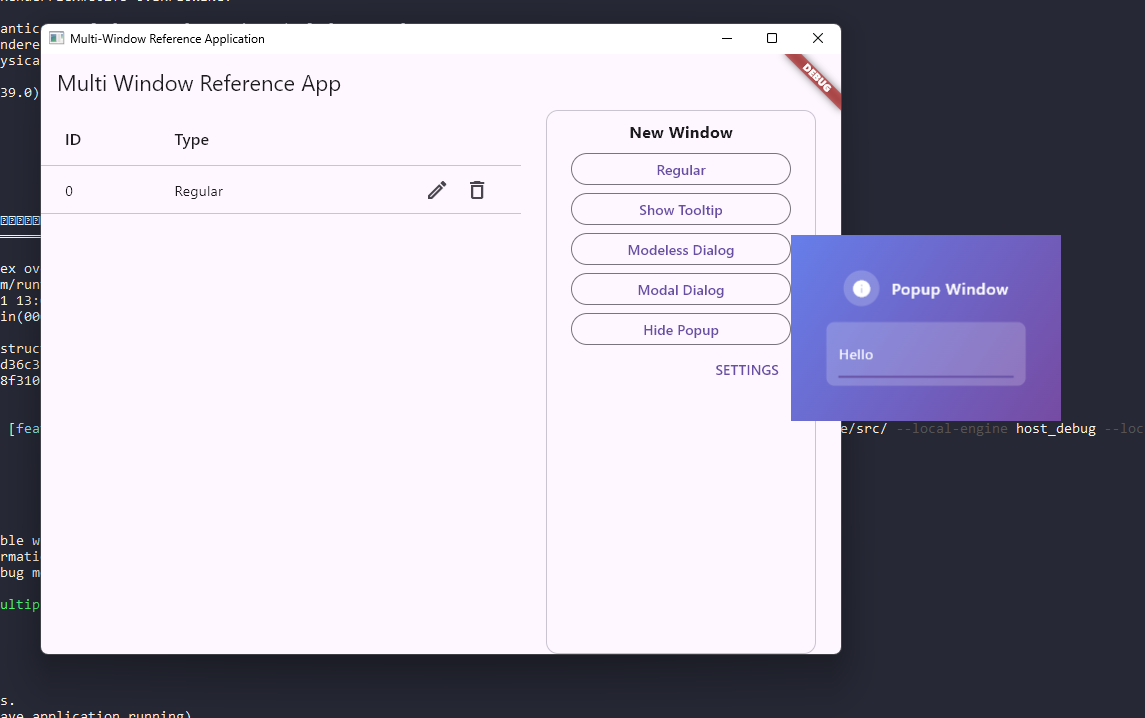
You can also now query windowHandle on platform-specific controllers
to get a direct pointer to the underlying native window
(HWND, NSWindow, or GtkWindow).
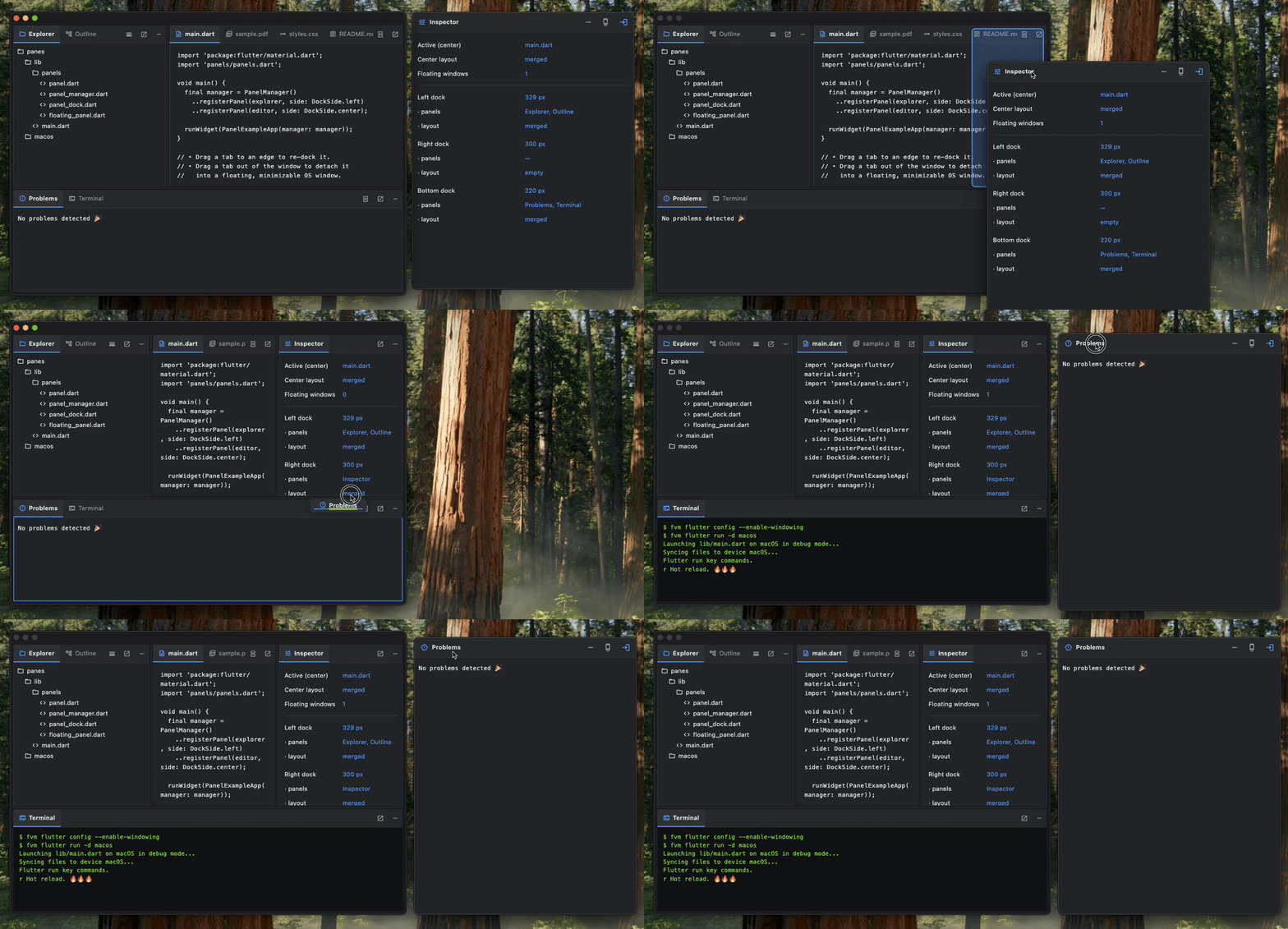
This enables advanced native feature access like dockable panes on Windows,
such as this dockable panes demo contributed by
@orestesgaolin:
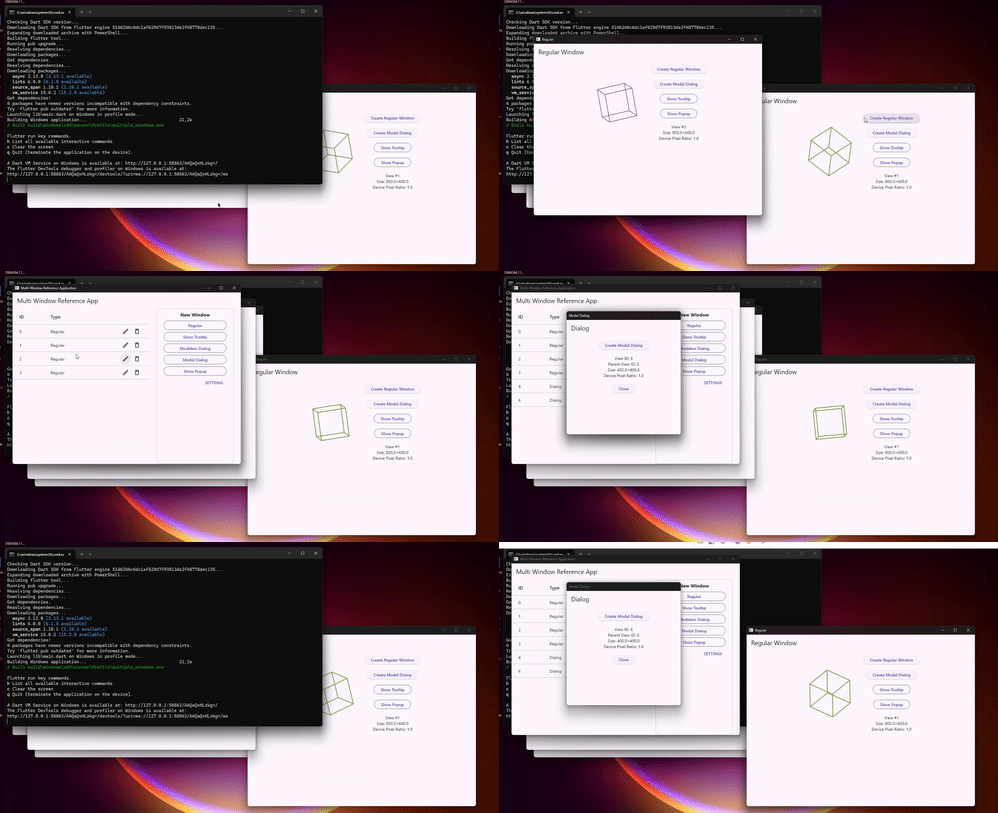
We also resolved several window focus and realization bugs. On Windows, activating a window no longer pulls background windows forward or steals focus back on app resume, courtesy of contributor @9AZX (#188016):
On Linux, multi-window creation now explicitly realizes windows before they receive their first frame from the compositor, fixing early rendering warnings and compositor assertions.
We also added a new sized-to-content API that lets you create regular and dialog windows that are automatically sized to fit their content.
Flavors for desktop
Windows and Linux now support Flutter flavors.
For example,
your pubspec.yaml file can use different assets on different flavors:
flutter:
  assets:
    - path: assets/flavor_a/images
      flavors:
        - flavor_a
    - path: assets/flavor_b/images
      flavors:
        - flavor_c
Use the --flavor option to specify your flavor. For example:
flutter build windows --flavor flavor_aflutter build linux --flavor flavor_a
Thanks to @AngeloAvv for the wonderful contributions (#187034, #187029)!
Sharper desktop text
Desktop screens often have lower pixel densities than mobile displays but have more graphics compute power. To deliver sharper text and cleaner vector curves on desktop, the Flutter engine using Impeller now utilizes Signed Distance Function (SDF) rendering on macOS, Linux, and Windows.
Stable previews and updates to GenUI
Widget Previews go stable
Flutter Widget Preview is now stable, allowing you to instantly render, inspect, and iterate on individual UI components without building or launching your entire application.
With this stable release, you can expect:
-
Faster startup times thanks to local project caching in a
.widget_preview/folder, which eliminates repeated setup overhead. -
More flexible testing with an abstract
PreviewThemeDataAPI that supports sequential theme layering for complex matrix tests. -
Automatic web asset synchronization when previewing web widgets,
copying your host project's
web/assets directly, applying any custom theming or customizing yourindex.htmlfile when using Flutter web automatically.
Continued advancements in GenUI
Flutter's ecosystem continues evolving to meet the needs of developers
using GenUI to create new kinds of agentic experiences for their users.
Version 0.10.0 of the genui package was recently released,
bringing a number of fixes and new features, among them:
-
A new
a2ui_corepackage that centralizes classes related to the protocol, including things like expressions, catalog entries, and more. - Support for A2UI's client-side functions, which enable you to provide the agent with functions it can direct the client to use for validation, derived values, and other small tasks without a round trip.
Refining the platform experience
This section highlights targeted improvements contributed by the community and the Flutter team to polish the developer and user experience across all platforms.
Android
On Android, we’ve resolved a virtual keyboard issue where modifier keys (like Shift) could get stuck during events. The key responder now skips physical key synthesis for virtual keyboard inputs, keeping keyboard interactions clean.
Android dependency matrix
To ensure stable builds, Flutter 3.47 is verified against the following Android dependency versions:
- Java: 17 (minimum required version)
- Kotlin Gradle Plugin (KGP): 2.4.0
- Android Gradle Plugin (AGP): 9.1.0 (newest compatible with KGP 2.4.0)
- Gradle: 9.3.1 (minimum required for AGP 9.1.0)
To ensure your application builds successfully across future releases, we encourage you to use the standard API level variables vended by the Flutter SDK in your build files. For this release, they are configured with the following default values:
flutter.compileSdkVersion(API 36)flutter.targetSdkVersion(API 36)flutter.minSdkVersion(API 24)
iOS and macOS
For iOS developers, code signing is now more transparent. Thanks to community member @alex-medinsh, the CLI displays both the Team ID and Team Name when selecting a certificate (#184665).
Additionally, community member @mozammal-hossain improved troubleshooting by providing clearer provisioning profile error messages when signing fails (#184051).
Desktop
Desktop platforms also received targeted refinements.
Caret positioning for Korean text composition is resolved on Windows
(thanks to @CHOIgoung,
#186353),
and Windows plugins can now move expensive tasks off the platform thread
using FlutterEngine::PostPlatformThreadTask.
On Linux, @CodeDoctorDE
added stylus rotation and pressure reporting
(#186831).
Graphics and engine
In the engine, fragment shaders targeting OpenGLES no longer need conditional coordinate flipping when reading textures. This is now handled in the vertex shader. Consult the OpenGLES render-to-texture breaking change page for more details.
Framework polish
Finally, the framework itself is smoother, with improvements split across key components:
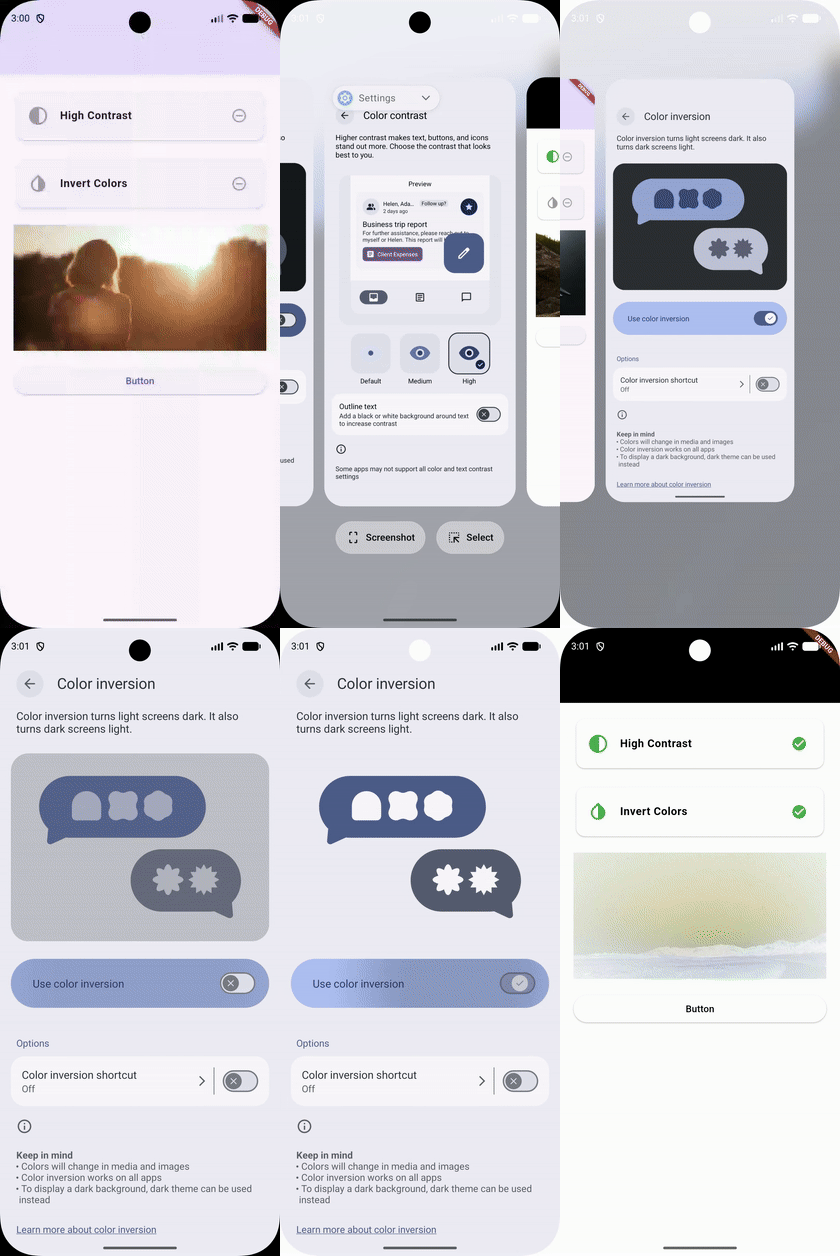
Accessibility and semantics: Android high-contrast and color inversion
settings are now detected automatically,
thanks to @xxxOVALxxx
(MediaQueryData.highContrast and MediaQueryData.invertColors,
#182263).
Nested text spans inside Text.rich now match their layout sequence
in the semantics tree,
and keyboard focus blocking is added for BlockSemantics.
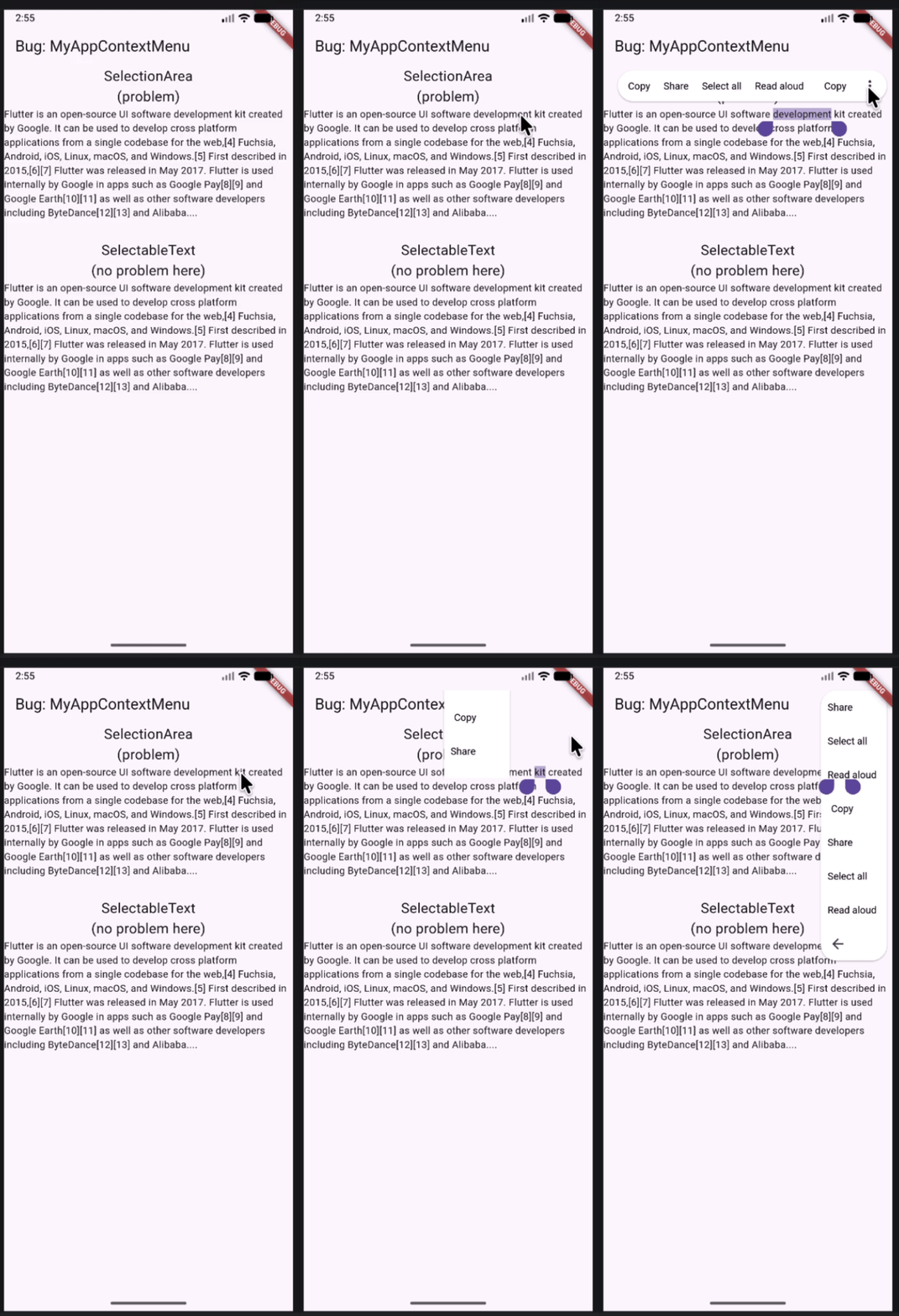
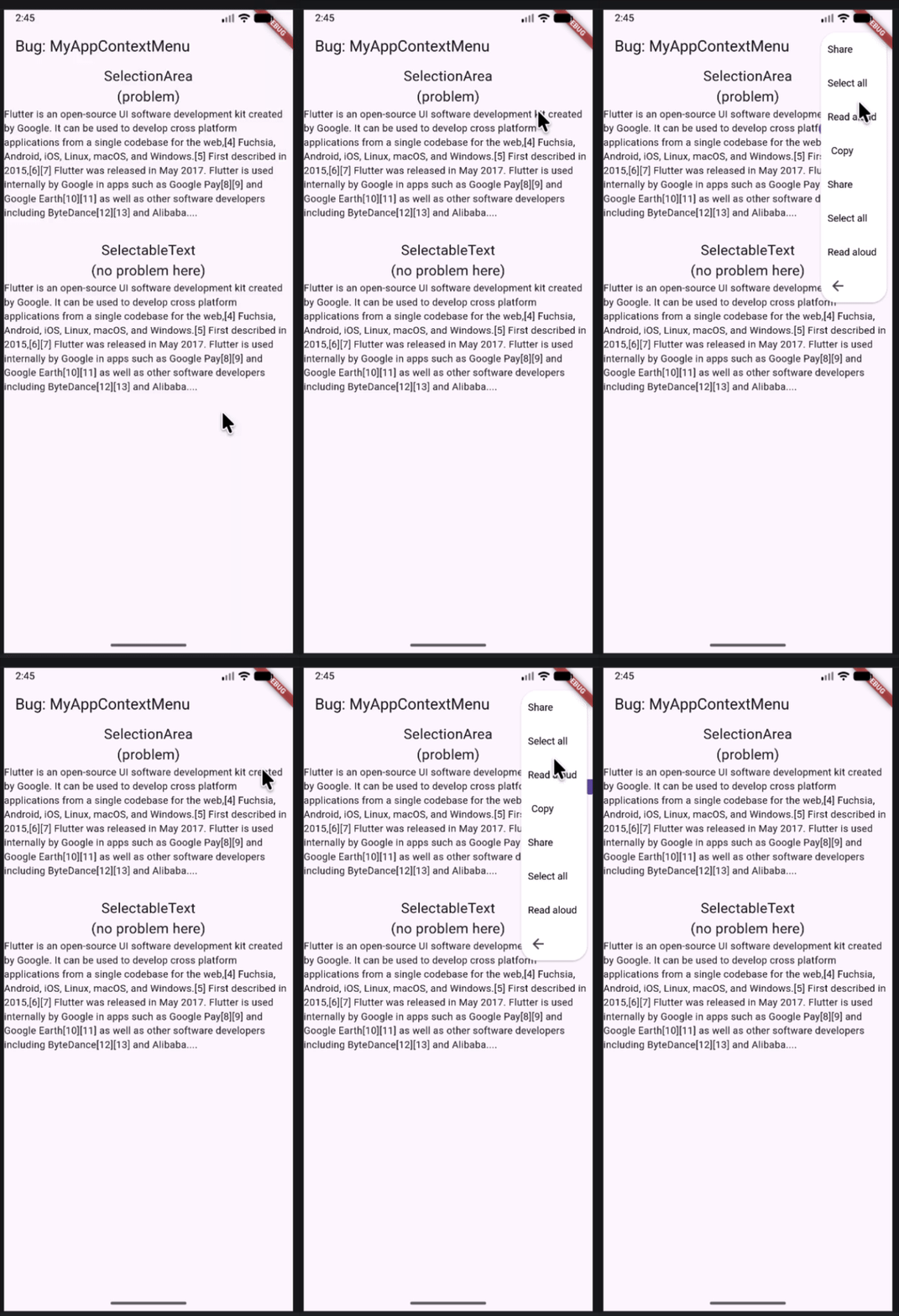
Text and selection: Text selection handles on mobile now remain stable during minor scrolling, and keyboard shortcuts can now dismiss open selection menus. On Android, selection handles no longer obscure the context menu when positioned near the top of the screen, thanks to @JhonaCodes (#182663).
| BEFORE | AFTER |
|---|---|
|
|
We also fixed a crash in SelectableRegion when selection began
in an empty scrollable container,
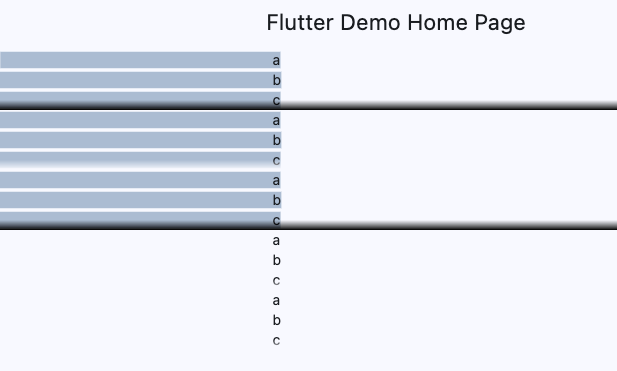
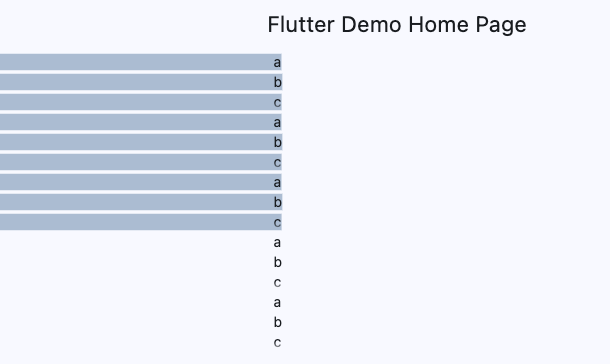
and resolved visual highlight artifacts on faded selectable text,
thanks to @ikramhasan
(#183628).
| BEFORE | AFTER |
|---|---|
|
 |
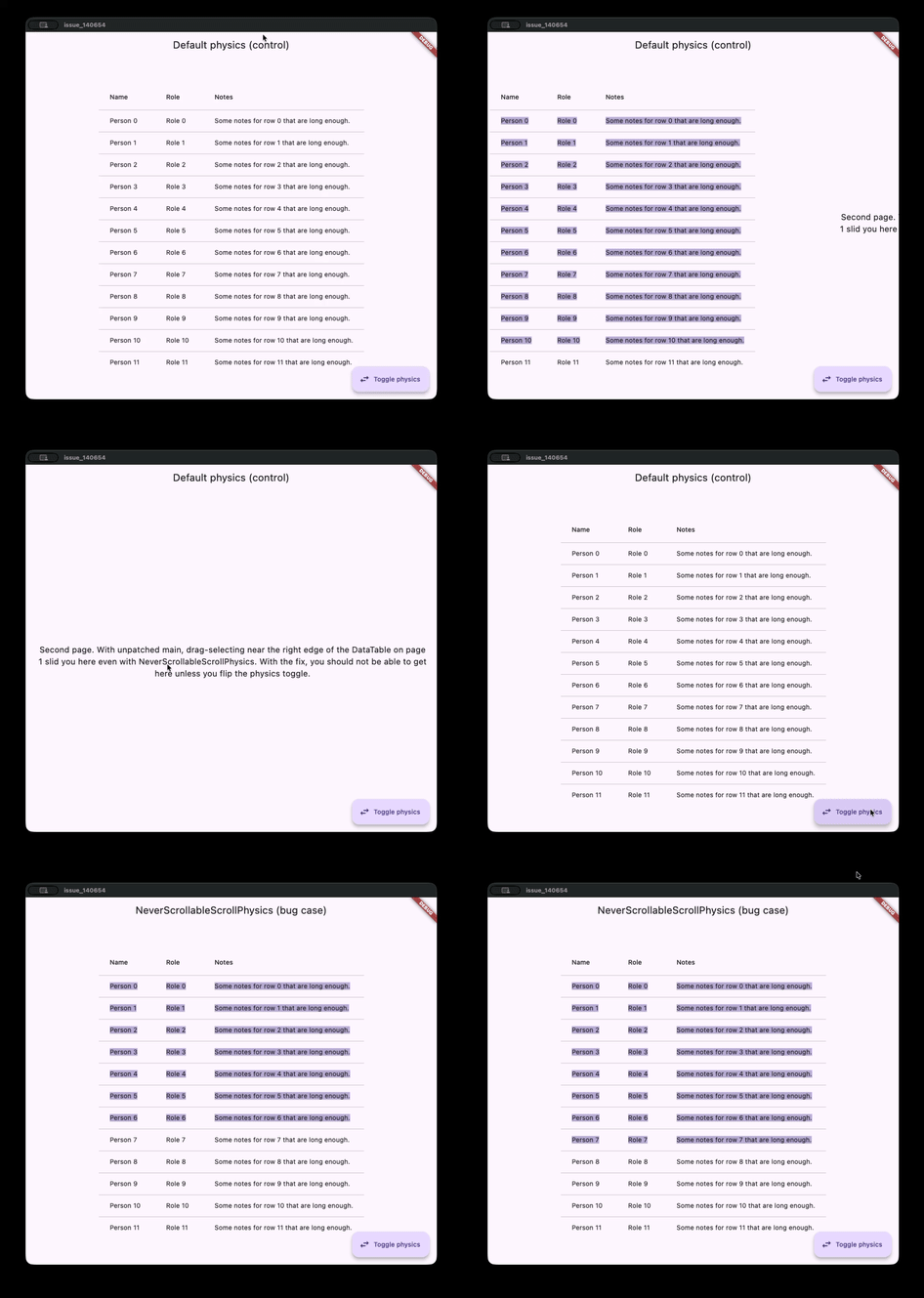
Gestures and scrolling: Improved gesture propagation
for native iOS views embedded via platform views.
EdgeDraggingAutoScroller now respects the ScrollPhysics of the
active scroll view, preventing auto-scrolling on locked lists.
Core Widget enhancements: Preserve original colors inside ImageIcon
with useOriginalColors: true
(#180491),
specify clipping behavior in AnimatedCrossFade
(#184545),
and track image stream errors directly with ImageStreamListener.
Ready to upgrade
The pieces are set, and the foundations are ready. All that's left is to bring these upgrades to your local machine:
flutter upgrade
While your SDK updates in the background, we've got some homework (the fun kind) for you:
- Meet the Contributors: Grab some popcorn and tune into our new video series, Introducing: Flutter Notable Commits, celebrating the community members who made this release possible.
- Check the Details: Give the Breaking Changes Page a quick scan so you are prepped for the standalone UI package migrations.
We are excited to see what you all will build with this new and improved version of Flutter!